Lensa AI features Key Takeaways
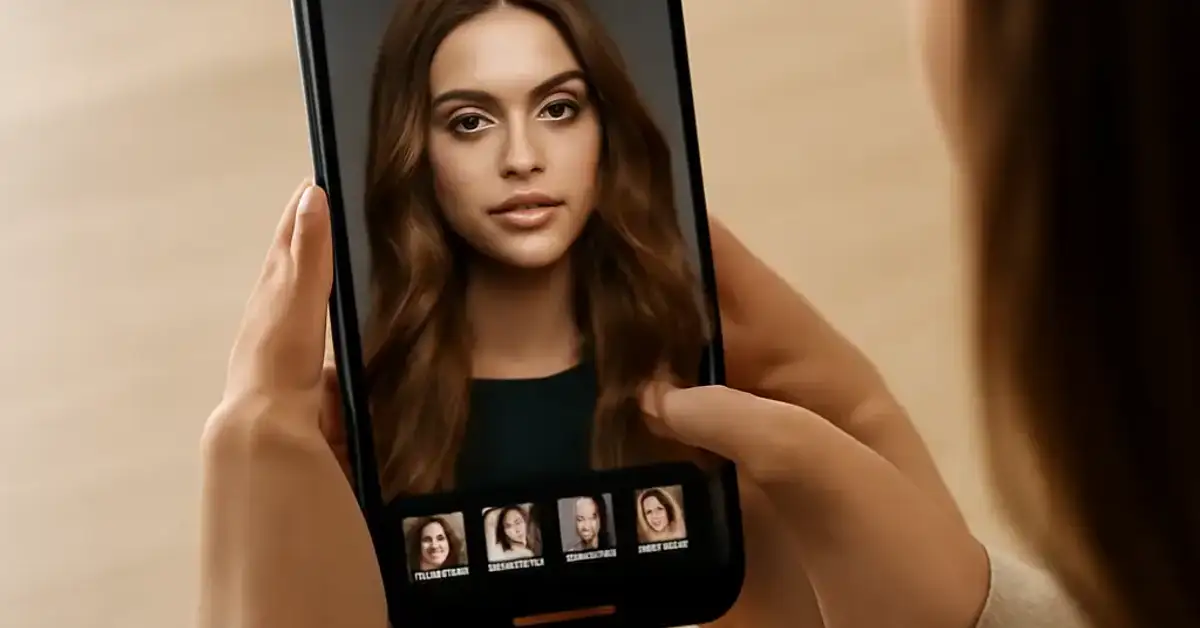
Lensa AI has rapidly become one of the most popular mobile apps for transforming ordinary selfies into studio-quality portraits and imaginative avatars.
- The best Lensa AI features include Magic Avatars, background replacement, and intelligent retouching.
- Lensa AI uses a combination of neural networks to enhance skin, eyes, and lighting automatically.
- Understanding each feature’s strengths helps you choose the right tool for portraits, social media, or creative projects.
What Makes Lensa AI Different for Photo Editing and Avatars
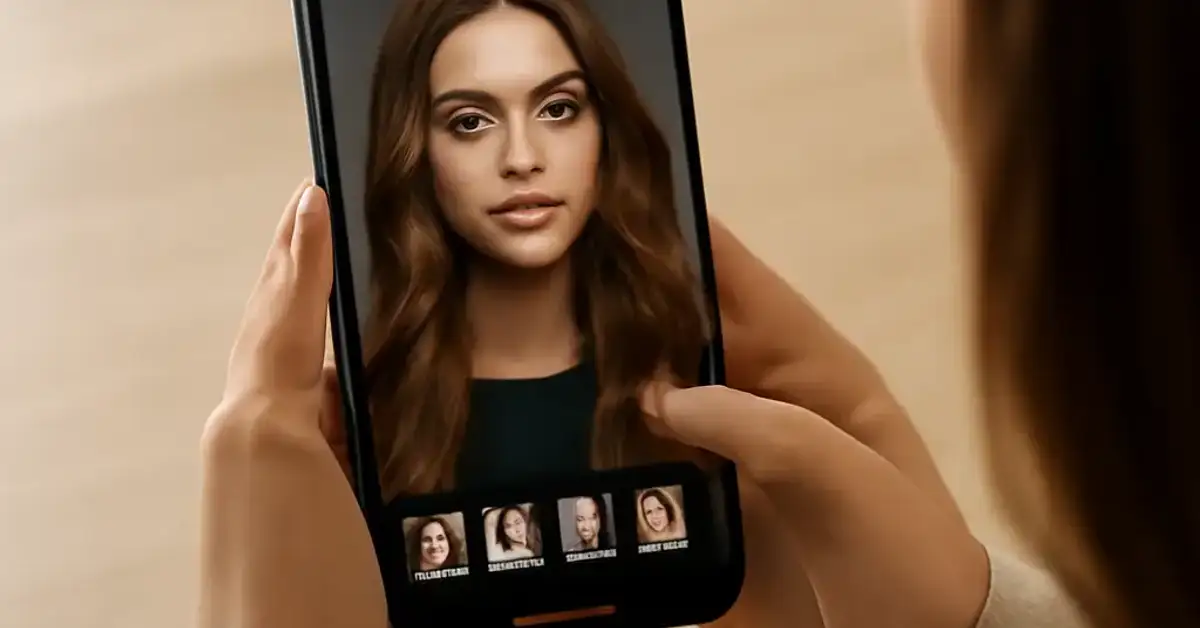
Lensa AI, developed by Prisma Labs, builds on the same neural network technology that made the Prisma art filters famous. However, Lensa is purpose-built for portraits. The app analyzes facial features, skin texture, and lighting conditions, then applies targeted adjustments that look natural rather than overprocessed. Most users first discover Lensa through its viral Magic Avatars feature, but the photo editing suite underneath is equally powerful. Whether you want a quick retouch or a completely new digital persona, Lensa delivers results in seconds. For a related guide, see 7 Best GitHub Copilot Features Smart Developers Use.
7 Best Lensa AI Features You Should Use
1. Magic Avatars – Turn Selfies into Stylized Portraits
The Magic Avatars feature is what put Lensa on the map. You upload 10 to 20 selfies, and the AI generates dozens of stylized portraits in various themes: fantasy, sci-fi, anime, fairy tale, and more. The results are surprisingly consistent in facial features, so your avatar still looks like you. This is arguably the most fun of all Lensa AI features and ideal for social media profiles or personal branding. For a related guide, see 7 Best Photomath AI Features to Boost Your Math Learning.
2. Automatic Background Removal and Replacement
One of the most practical Lensa AI photo editing tools is the background editor. With a single tap, the app detects the subject and removes the background. You can then replace it with a solid color, a gradient, or a blurred studio backdrop. This feature saves hours of manual masking in desktop software and is perfect for headshots, product photos, or consistent LinkedIn profiles.
3. Intelligent Skin Retouching Without the Plastic Look
Many photo apps over-smooth skin until it looks artificial. Lensa’s skin retouching uses a neural network that preserves pores and natural texture while reducing blemishes, redness, and shine. You can adjust the intensity from subtle to strong. This balance makes it one of the best Lensa AI features for anyone who wants polished portraits without looking like a filter.
4. Face Shape and Feature Enhancement Tools
Lensa includes sliders for jawline, cheekbones, eye size, and smile. Unlike basic “beauty mode” sliders, Lensa analyzes the underlying facial structure and makes proportional adjustments. For example, you can slim the face slightly while keeping the chin and forehead in natural proportion. This control is valuable for content creators who need consistent, flattering looks across multiple photos.
5. AI-Powered Lighting Correction
Poor lighting ruins more selfies than anything else. Lensa’s lighting tool automatically balances highlights and shadows, reduces harsh shadows under the eyes, and adds a soft fill light to the face. The result is a more even, professional-looking portrait even if the original was taken in a dim room or against a bright window. This is a standout among best Lensa AI tools for quick fixes.
6. Artistic Filters That Understand Faces
While generic filters apply the same effect to the whole image, Lensa’s artistic filters are portrait-aware. They treat the face as a separate layer, keeping skin tones natural while enhancing the background with painterly or cinematic styles. This prevents the “melted face” effect common with other filter apps. You get creative expression without sacrificing facial clarity.
7. Batch Editing for Consistent Social Media Feeds
For creators managing multiple photos, Lensa offers batch processing. You can apply the same retouching settings to an entire set of images. This ensures consistent skin tone, lighting, and background across your entire feed. Batch editing is often overlooked when people discuss Lensa AI features, but it is a huge time-saver for anyone posting regularly to Instagram, TikTok, or a portfolio site.
How to Get the Best Results with Lensa AI
To maximize the quality of your edits, start with well-lit, front-facing selfies. Avoid heavy shadows, sunglasses, or extreme angles, especially for Magic Avatars. For the retouching tools, use a light hand — the AI already does significant work, so setting sliders beyond 70% often introduces artifacts. Finally, always save a copy of the original before applying edits so you can compare and revert if needed.
Pros and Cons of Using Lensa AI
No tool is perfect, and Lensa has both advantages and limitations worth considering.
| Aspect | Pros | Cons |
|---|---|---|
| Lensa AI photo editing speed | Edits complete in seconds | Requires internet for full processing |
| Magic Avatars quality | High-quality stylized portraits | Best results require 10+ selfies |
| Retouching naturalness | Preserves skin texture | Strong settings can look unnatural |
| Pricing | Free basic edits, affordable premium | Magic Avatars is a paid feature |
Who Should Use Lensa AI Features?
Lensa AI is ideal for social media managers, freelancers, job seekers updating their headshots, and anyone who wants quick, high-quality portraits without learning Photoshop. The intuitive interface means you don’t need any editing experience. However, professional photographers who require full control over every pixel may still prefer desktop software like Lightroom or Capture One.
Useful Resources
Learn more about the technology behind Lensa from the official Prisma Labs research blog, and explore a detailed comparison of AI photo editing apps from TechRadar.
Prisma Labs – Lensa Official Page
TechRadar – Best AI Photo Editors Compared
Frequently Asked Questions About Lensa AI features
What are the main Lensa AI features ?
The main features include Magic Avatars, background removal, skin retouching, face reshaping, lighting correction, artistic filters, and batch editing.
Is Lensa AI free to use?
Basic photo editing tools are free. Magic Avatars and some premium filters require a one-time purchase or subscription.
How do Magic Avatars work?
You upload 10 to 20 selfies, and Lensa’s AI generates multiple stylized portraits in different themes using your facial features.
Can Lensa AI remove backgrounds?
Yes, the app includes an automatic background removal tool that lets you replace the background with a color, gradient, or blur.
Does Lensa AI work on Android?
Yes, Lensa AI is available for both iOS and Android devices.
Is Lensa AI safe for privacy?
Lensa processes images on secure servers and states that uploaded photos are not shared. However, always review the privacy policy for updates.
How many selfies do I need for Magic Avatars?
For best results, use at least 10 selfies with varied expressions and good lighting.
Can I use Lensa AI for professional headshots?
Yes, the background removal and retouching tools are ideal for creating polished, consistent headshots.
Does Lensa AI edit video?
No, Lensa AI is currently designed for still photos only.
What is the difference between Lensa and FaceApp?
Lensa focuses on realistic retouching and stylized avatars, while FaceApp offers more dramatic age and gender swaps.
Can I batch edit photos in Lensa?
Yes, the app includes a batch processing feature that applies the same edits to multiple images at once.
How does the skin retouching work?
The AI detects blemishes and unevenness while preserving natural skin texture, then smooths and evens tone.
Can I adjust the strength of retouching?
Yes, Lensa provides a slider to control the intensity of each retouching effect.
What file formats does Lensa support?
Lensa supports JPEG and PNG input and exports in high-resolution JPEG or PNG.
Is there a desktop version of Lensa?
No, Lensa AI is currently a mobile-only app.
How long does it take to generate Magic Avatars?
Processing usually takes 15 to 30 minutes, depending on server load and the number of images.
Can I use Lensa offline?
Basic edits may work offline, but advanced features like Magic Avatars and background removal require an internet connection.
Does Lensa have a watermark?
Free exports include a small watermark. Paid plans remove it.
Can I cancel my Lensa subscription?
Yes, you can cancel through your device’s app store subscription settings at any time.
Is Lensa suitable for children?
The app is rated for ages 12 and up. Parents should supervise use, especially for image uploads.