
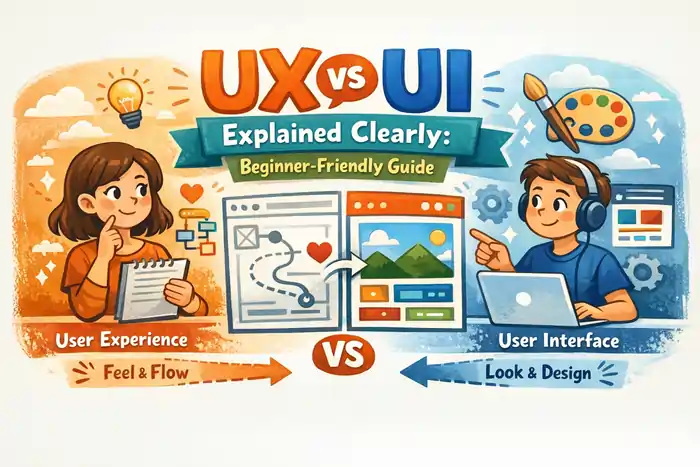
User experience (UX) is about how something works when you use it, while user interface (UI) is about how it looks and how you interact with interface elements like buttons and menus. Today, what really matters is usability, smooth interaction design, and a clear user journey—not just attractive visual design. A product can look great, but without understanding user behavior, backed by UX research and usability testing, it won’t perform or keep people around.
Introduction: Let’s Make This Finally Make Sense
Let’s not overcomplicate this.
Most explanations of UX vs UI make it sound like something you need a course to understand. You’ll see diagrams, technical terms, and long definitions that don’t really help.
But here’s the truth:
You already understand UX and UI. You just haven’t labeled them yet.
Think about the last time you used a website and thought:
- “This is easy.”
or - “Why is this so confusing?”
That reaction? That’s user experience (UX).
Now think about this:
- “This looks clean.”
- “That button stands out.”
That’s user interface (UI).
That’s it. That’s the difference.
In 2026, this matters more than ever because people don’t stay on websites just because they look nice. They stay because things make sense.
What Is User Experience (UX)?
User experience (UX) is how it feels to use something.
Not how it looks. Not how trendy it is.
How it actually works when someone is trying to do something.
Good UX feels like this:
You open a page…
You instantly get it…
You know what to do next…
You don’t stop. You don’t think too much. You just move.
Bad UX feels like this:
You hesitate.
You click the wrong thing.
You get annoyed.
You leave.
That’s why usability is everything.
If something isn’t easy to use, it’s broken—no matter how good it looks.
What UX Actually Comes Down To
Let’s keep it simpleUsability
If it’s easy, it works.
If it’s confusing, it doesn’t.
That’s usability.
User Journey
The user journey is just the path someone takes.
Landing → scrolling → clicking → action.
If that path feels smooth, UX is doing its job.
UX Research
UX research is basically listening to people instead of guessing.
What do they expect?
What confuses them?
What makes them leave?
Usability Testing
Usability testing is where things get real.
You watch someone use your site…
And suddenly you realize what doesn’t make sense.
What Is User Interface (UI)? (No Fancy Words)
Now let’s talk about user interface (UI).
This is the part people usually notice first.
It’s everything you see:
- colors
- buttons
- layout
- text
- all interface elements
UI is the “look” of the experience.
What Good UI Feels Like
You don’t question anything.
Buttons look clickable.
Sections feel organized.
Everything is clear.
That’s good visual design and strong design consistency working together.
What Bad UI Feels Like
You hesitate.
You’re not sure:
- where to click
- what’s important
- what to do next
Even if the UX is okay, bad UI creates friction.
UX vs UI
Forget the complicated definitions.
Think of it like this:
- User experience (UX) = does this make sense?
- User interface (UI) = does this look clear?
That’s it.
Why This Difference Actually Matters
Because users don’t care about your design process.
They care about:
- getting what they need
- quickly
- without confusion
You can have:
- amazing UI
- beautiful animations
- modern layout
But if the UX is weak?
People leave.
That’s your bounce rate going up.
Why UX Is What Really Drives Results
This is where things get real.
People don’t convert because something looks nice.
They convert because:
- they understand what to do
- they trust what they see
- nothing gets in their way
That’s UX.
If your UX is weak:
- your engagement rate drops
- users don’t stay
- nothing converts
User Behavior: The Thing Most People Ignore
Design only works if it matches user behavior.
And here’s how people actually behave:
- they scan, not read
- they want fast answers
- they don’t like thinking too much
That’s why:
- clear navigation design matters
- strong call to action (CTA) matters
- simple layout and structure matters
Navigation Design: You Only Notice It When It’s Bad
Good navigation design feels invisible.
You don’t think about it.
Bad navigation?
That’s when you:
- get lost
- click around randomly
- give up
And once that happens, you’re gone.
Interaction Design: The Small Things That Decide Everything
Interaction design is what happens when users do something.
Click. Scroll. Tap.
Good interaction:
- feels instant
- feels smooth
- feels right
Bad interaction:
- feels slow
- feels confusing
- feels broken
And those small moments?
They shape the whole experience.
Accessibility in Design (Not Optional)
Accessibility in design is not just about inclusivity—it’s about clarity.
Readable text.
Clear contrast.
Simple navigation.
When something is accessible, it’s easier for everyone.
Layout and Structure: Why Simple Always Wins
A clean layout and structure does one thing really well:
It removes confusion.
Users should:
- understand instantly
- move naturally
- take action easily
Complex layouts don’t impress people.
They slow them down.
Common Beginner Mistakes (Let’s Be Honest)
Most beginners:
- focus too much on visual design
- ignore usability
- forget about user behavior
The result?
Something that looks good…
but doesn’t work.
How to Actually Get Better at UX and UI
Don’t overthink it.
Start here:
- make things clearer
- remove unnecessary steps
- guide users better
Then test:
- use usability testing
- watch real behavior
- adjust
That’s how you improve:
- engagement rate
- conversions
- overall performance
Real-Life Example (So This Sticks)
Think about ordering something online.
If:
- you can’t find the button → bad UI
- checkout is confusing → bad UX
You leave.
If:
- everything is obvious
- flow is smooth
- design is clear
You stay.
That’s UX and UI working together.
Conclusion
At the end of the day:
User experience (UX) makes things work.
User interface (UI) makes things clear.
But the goal isn’t to impress people.
It’s to help them.
Because the best design?
Is the one people don’t even notice.
Frequently Asked Questions
1. What is UX?
User experience (UX) is how it feels to use something. It focuses on ease and clarity. Good UX makes things simple.
2. What is UI?
User interface (UI) is what users see and interact with. It includes layout and buttons. It shapes how something looks.
3. What is the difference between UX and UI?
UX is about how it works. UI is about how it looks. Both are needed.
4. Which is more important UX or UI?
UX matters more for usability. Without it, UI fails. But both should work together.
5. Can UI be good but UX be bad?
Yes. It happens often. A design can look great but feel confusing.
6. What is usability?
Usability means how easy something is to use. It affects user experience. Higher usability is better.
7. What is user behavior?
User behavior is how people interact with a product. It includes clicks and navigation. It guides design decisions.
8. What is UX research?
UX research helps understand users. It focuses on needs and behavior. It improves design.
9. What is usability testing?
Usability testing shows how users interact. It reveals problems. It helps improve design.
10. What are UI components?
UI components are buttons, menus, and elements. They allow interaction. They are part of UI.
11. What is responsive design?
Responsive design adapts layouts to devices. It improves usability. It is essential today.
12. What is navigation design?
Navigation design helps users move through a site. It improves clarity. It supports UX.
13. What is interaction design?
Interaction design focuses on how users interact. It improves usability. It enhances experience.
14. What is layout and structure?
Layout and structure organize content. They guide users. They improve clarity.
15. What is accessibility in design?
Accessibility in design ensures usability for everyone. It improves inclusivity. It enhances experience.
16. What is a call to action?
A call to action (CTA) tells users what to do. It guides action. It improves conversions.
17. What is engagement rate?
Engagement rate measures interaction. It shows interest. Higher is better.
18. What is bounce rate?
Bounce rate shows users leaving quickly. High means poor UX. Lower is better.
19. Why is UX important?
UX improves usability. It helps users complete tasks. It drives results.
20. Why is UI important?
UI improves clarity and visuals. It supports UX. It enhances experience.
Disclaimer
This content is for educational purposes only. UX and UI strategies vary depending on audience, platform, and goals. Results depend on testing, execution, and continuous improvement.

