
Content and On-Page SEO for Beginners is the foundation of ranking on Google. This guide walks you through how to properly use keywords, optimize on-page SEO elements, and align your content with search intent. You’ll learn practical steps to improve content quality, structure your pages for both users and search engines, and apply SEO best practices that lead to higher rankings and consistent organic traffic.
When most beginners start SEO, they focus heavily on publishing content. But publishing alone doesn’t lead to rankings. The real difference lies in how well that content is optimized using content SEO and on-page SEO techniques.
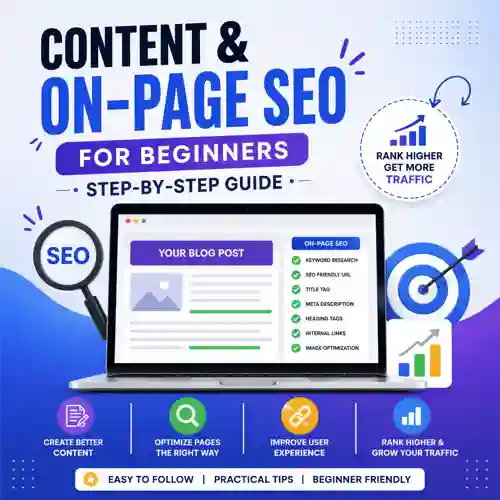
What is Content SEO and On-Page SEO?
Understanding Content SEO
Content SEO focuses on creating valuable, optimized content using:
- target keywords
- LSI keywords
- search intent
Understanding On-Page SEO
On-page SEO focuses on optimizing elements within your page such as:
- title tags
- meta descriptions
- internal linking
Why Content and On-Page SEO Matter
SEO Visibility and Rankings
Strong on-page SEO techniques help search engines:
- Understand your content
- Improve keyword relevance
- Boost organic traffic
User Experience and Engagement
Proper content optimization ensures:
- Better readability
- Higher engagement
- Lower bounce rates
Keyword Research (The Foundation)
What is Keyword Research?
Keyword research is the process of finding:
- primary keywords
- long-tail keywords
- low competition keywords
How to Do Keyword Research
Identify Seed Keywords
Start with a broad topic like SEO tools.
Expand with LSI Keywords
Use LSI keywords to build semantic relevance.
Analyze Keyword Difficulty
Choose keywords with low keyword difficulty.
Understanding Search Intent
Types of Search Intent
- Informational intent
- Navigational intent
- Transactional intent
Why Search Intent Matters
Matching search intent improves:
- Rankings
- Engagement
- Conversions
Optimize Your Title Tag
Best Practices
- Include your primary keyword
- Keep under 60 characters
- Make it compelling
Write a Strong Meta Description
Optimization Tips
- Use keywords naturally
- Highlight benefits
- Improve click-through rate
Use Proper Heading Structure
Structure Matters
- Main topic clearly defined
- Subtopics organized logically
- Supporting points structured cleanly
This improves both readability and SEO.
Optimize URL Structure
SEO-Friendly URLs
Good example:
- /content-on-page-seo-guide
Bad example:
- /page?id=123
Best Practices
- Use target keywords
- Keep URLs short
- Avoid unnecessary parameters
Keyword Placement (Critical for SEO)
Where to Place Keywords
- Title
- Headings
- First 100 words
- Image alt text
What to Avoid
Avoid keyword stuffing and unnatural repetition.
Use LSI and NLP Keywords
What Are LSI Keywords?
LSI keywords are related terms that support your main topic.
What Are NLP Keywords?
NLP keywords help search engines understand context and meaning.
Why They Matter
They improve:
- semantic SEO
- Content relevance
- Ranking potential
Create High-Quality Content
Key Elements
- Depth and clarity
- Relevance to topic
- Value to the reader
Content Optimization Tips
- Answer user questions
- Provide actionable insights
- Use structured formatting
Internal Linking Strategy
What is Internal Linking?
Internal linking connects pages within your website.
Benefits
- Improves crawlability
- Distributes authority
- Enhances navigation
Optimize Images
Image SEO Best Practices
- Add alt text
- Compress images
- Use descriptive filenames
Improve Page Speed
Why It Matters
Faster pages improve:
- User experience
- Rankings
- Engagement
Mobile Optimization
Mobile SEO Essentials
- Responsive design
- Fast loading
- Easy navigation
Add Schema Markup
Types of Schema
- Article schema
- FAQ schema
- Breadcrumb schema
Benefits
Improves:
- Rich results
- Visibility
- Click-through rates
Optimize for Featured Snippets
How to Do It
- Answer questions directly
- Use lists and bullet points
- Keep answers concise
Improve Readability
Best Practices
- Short paragraphs
- Simple language
- Clear formatting
Update Content Regularly
Why Updates Matter
- Keeps content relevant
- Improves rankings
- Maintains accuracy
Track SEO Performance
Key Metrics
- Keyword rankings
- Organic traffic
- Engagement
Common On-Page SEO Mistakes
Keyword Stuffing
Overusing keywords harms both readability and rankings.
Ignoring Search Intent
Content must match what users expect.
Poor Structure
Weak structure reduces clarity and engagement.
No Internal Linking
Missed opportunity to strengthen SEO.
Final Thoughts | Content and On-Page SEO for Beginners
Mastering content and on-page SEO is about consistency and structure.
Focus on:
- Proper keyword research
- Clear content optimization
- Strong on-page SEO practices
Frequently Asked Questions
1. What is content SEO?
Content SEO focuses on optimizing written content for search engines. It involves keyword usage, structure, and relevance. The goal is to improve visibility and rankings.
2. What is on-page SEO?
On-page SEO refers to optimizing elements within a webpage. This includes titles, headings, and internal links. It helps search engines understand your content.
3. Why is keyword research important?
Keyword research identifies what users are searching for. It helps create relevant content. This increases your chances of ranking.
4. What are LSI keywords?
LSI keywords are related terms that support your main keyword. They provide context to your content. This improves semantic SEO.
5. What is search intent?
search intent is the purpose behind a search query. It determines what users expect to find. Matching intent improves rankings.
6. How many keywords should I use?
Use one primary keyword and several related keywords. Avoid overusing them. Natural placement works best.
7. What is keyword placement?
keyword placement refers to where keywords appear in content. This includes titles, headings, and body text. Proper placement improves SEO.
8. What is internal linking?
internal linking connects pages within your website. It improves navigation and SEO. It also distributes authority.
9. What is meta description?
A meta description summarizes your page content. It appears in search results. It helps improve click-through rates.
10. What is a title tag?
A title tag is the clickable headline in search results. It is a major ranking factor. It should include your main keyword.
11. How do I improve content quality?
Focus on providing value and clarity. Answer user questions effectively. Use structured formatting.
12. What is schema markup?
schema markup is structured data added to your site. It helps search engines understand your content. It improves rich results.
13. Why is page speed important?
Page speed affects user experience and rankings. Faster pages reduce bounce rates. It improves engagement.
14. What is mobile SEO?
mobile SEO ensures your site works well on mobile devices. It includes responsive design and speed. It is essential for rankings.
15. What is keyword stuffing?
keyword stuffing is overusing keywords unnaturally. It harms readability and rankings. Avoid this practice.
16. What are long-tail keywords?
long-tail keywords are specific phrases with lower competition. They are easier to rank for. They often convert better.
17. What is SERP?
SERP stands for Search Engine Results Page. It shows results for a query. Understanding SERP helps with SEO strategy.
18. How often should I update content?
Update content every few months. Keep it relevant and accurate. Fresh content performs better.
19. What is featured snippet?
A featured snippet is a highlighted answer in search results. It appears at the top of Google. Optimizing for it increases visibility.
20. How long does SEO take?
SEO takes time to show results. It usually takes weeks or months. Consistency is key.
Disclaimer
This content is for informational and educational purposes only. While the strategies outlined are based on current SEO best practices, results may vary depending on competition, industry, and implementation. Always test and adapt strategies based on your specific goals and data.

