
If you’re learning web development, this internal monologue probably sounds familiar:
- HTML and CSS? “I get it. It’s visual.”
- JavaScript? “It’s tricky, but I’m making it work.”
- Backend? Servers? Webhooks? “One error and I feel like I’m not a ‘real’ developer.”
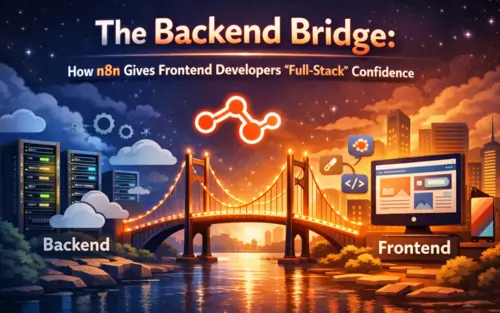
You are not alone. The gap between “Frontend Developer” and “Full‑Stack Developer” is a canyon of server configs, environment variables, databases, and cryptic error messages.
n8n is the bridge.
It lets beginner and intermediate developers build backend logic visually, without jumping straight into complex server setups or cloud infrastructure. It is not a shortcut; it is a learning accelerator that helps you ship real features while quietly teaching you how backends work.
Here’s why n8n for front end developer is a secret weapon for frontend developers who want full‑stack confidence.
What Is n8n? (No‑Jargon Explanation)
n8n is an open‑source workflow automation platform that lets you connect apps, APIs, and databases using a visual, node‑based interface.
Think of it as a visual backend brain for your website: it decides what should happen when a user submits a form, clicks a button, or triggers an event.
Instead of writing 50 lines of Python or Node.js to handle a form submission, you can:
- Drag a “Webhook” node.
- Drag a “Google Sheets” node.
- Draw a line connecting them.
Behind the scenes, n8n handles the HTTP request, parses the data, and sends it where it needs to go. A good starting point is this n8n workflow automation guide by DigitalOcean.
If you want ready‑made examples, browse the official n8n workflow templates.
What n8n Is Not
To be clear, n8n is not:
- ❌ A website builder (it doesn’t create your UI).
- ❌ A frontend framework (it doesn’t replace React, Vue, or Svelte).
- ❌ A design tool.
It lives behind the scenes, powering the features that make your website actually do something—sending emails, saving data, calling APIs, and orchestrating logic. If you’re curious how it’s built, you can explore the n8n source code on GitHub.
The “Stack Shift”: Why This Simplifies Learning
Beginner developers often quit because the traditional “learn everything at once” stack is overwhelming.
The Traditional Beginner Nightmare
Frontend → Backend Framework (Node/Express) → Server Config (VPS/Cloud) → Database → API Auth and Security
That’s five new technologies, each with its own jargon, docs, and failure modes, all hitting you at the same time.
The n8n “Confidence Stack”
Frontend → n8n → Services (Google Sheets, Slack, Airtable, Postgres, etc.)
You still think like a developer, but you replace most of the early setup pain with a single visual tool.
Instead of spending weeks wrestling with deployments, you spend your energy on what actually matters: logic, data flow, and user experience.
For context on where tools like this fit in the ecosystem, check this beginner’s guide to open‑source workflow automation.
The “Accidental Learning” Effect
The best part about n8n is that it quietly teaches you backend fundamentals while you’re busy building cool things.
You are not just dragging boxes. You are learning:
- Data Flow – How information moves from the browser to a backend and into a database or third‑party service.
- APIs – You’ll see what GET and POST requests look like, how JSON is structured, and how headers and auth work—without staring at raw terminal logs.
- Webhooks – You’ll understand how different apps “talk” to each other in real time when an event happens.
You start to think in backend patterns: “When X happens, send Y there, then do Z.”
Later, when you pick up Node.js, Python, or serverless functions, the code will feel familiar because you already understand the logic and the flow. A nice perspective on this transition is the article “NodeJS to n8n: A Developer’s Guide to Smarter Workflow Automation”.
The 5‑Minute Challenge: Build Your First Backend
Don’t just read about it. Let’s simulate how fast you can build a contact form backend using n8n.
Goal: A user submits a form on your site. You get an email, and the data goes into a spreadsheet.
The Workflow in n8n
- Node 1 – Trigger (Webhook)
- Add a “Webhook” node.
- n8n gives you a unique URL.
- Paste that URL into your HTML form’s
actionattribute.
- Node 2 – Store (Google Sheets or Database)
- Add a “Google Sheets” node (or Postgres/MySQL if you’re ready).
- Connect it to the Webhook node.
- Set it to “Append Row” with fields like Name, Email, and Message.
- Node 3 – Notify (Gmail, Slack, Discord, etc.)
- Add a “Gmail” or “Slack” node.
- Connect it after the Sheets node.
- Tell it to send you a message like:
New Lead: {{$json["name"]}}.
Time to build: ~5 minutes.
Code written: 0 lines.
Confidence gained: a lot.
If you want a visual walkthrough, the official n8n quick start tutorial on YouTube walks through building your first workflow step by step.
When to Use n8n (And When Not To)
Great tools are about choosing the right job for the right tool.
Use n8n when…
- You’re learning backend concepts and want to see them in action without drowning in server setup.
- You need to handle forms, emails, signups, lead capture, or basic CRUD operations.
- You’re building for small‑to‑medium clients: portfolio sites, SaaS prototypes, marketing funnels, internal tools.
- You want to prototype an idea fast before investing in a custom backend.
- You want to orchestrate multiple services (APIs, databases, AI models) with minimal glue code.
To see what’s possible, explore the n8n development integrations catalog, which shows how many dev‑focused tools plug in out of the box.
Don’t use n8n when…
- You’re building a high‑performance banking or trading application where every millisecond and regulatory detail matters.
- You need ultra‑low latency (<10 ms) for real‑time gaming or high‑frequency systems.
- You’re implementing very complex, domain‑specific algorithms or doing heavy number‑crunching that belongs in dedicated backend code.
- You require deep, highly optimized, language‑level control over performance.
In those cases, n8n can still sit around your core system (for notifications, ops automation, reporting), but it shouldn’t be the whole backend.
If you want concrete inspiration, the n8n community shares examples like this thread on frontend content delivery with n8n.
Why n8n Builds “Full‑Stack” Confidence
n8n doesn’t turn you into a senior backend engineer overnight—and that’s not the goal.
The goal is momentum.
As a beginner or frontend‑first developer, the most dangerous thing is getting stuck so badly that you stop building. n8n removes that friction:
- You see your logic run visually.
- You debug by following the data from node to node.
- You ship working features today, not “after I finish that 40‑hour backend course.”
Over time, you’ll naturally outgrow some visual workflows and start replacing pieces with your own code—Node.js, Python, serverless functions—but by then, you’re not starting from zero. You already understand how requests, responses, APIs, and data flows fit together.
For a broader look at how teams are bringing n8n into real projects, this piece on no‑code workflow automation with n8n is a helpful reference.
Ready to Cross the Bridge?
If you’ve ever felt stuck between “frontend designer” and “full‑stack developer,” n8n is the bridge that helps you cross—one workflow at a time.
Start simple:
- Spin up n8n (self‑hosted or cloud) from the official n8n website.
- Build that 3‑node contact form backend.
- Watch your first real backend flow run in real time.
No server panic. No 3‑day deployment rabbit hole. Just real, working features—and the confidence that you can think like a full‑stack developer.
You can explore n8n in this order:
- Start with the basics
Get a clear, non‑technical definition of what n8n is and what it actually does in a web project:
→ What Is n8n? (Explained for Web Developers) - Understand why it matters for you as a web developer
See how n8n helps you bridge the gap between frontend and backend without getting stuck in configuration and servers:
→ Why Web Developers Should Learn n8n Early - Learn n8n in plain language, no backend jargon
Walk through how workflows, triggers, and actions work, using simple examples and visual thinking:
→ n8n Explained in Simple Terms (No Backend Experience Needed) - See where n8n fits in a modern web development stack
Understand how n8n connects your frontend to APIs, databases, and services, and where it sits alongside traditional backends:
→ How n8n Fits Into a Modern Web Development Stack
You don’t have to read everything in one sitting. You can:
- Follow this main guide from top to bottom, and
- Open the linked articles whenever you want a deeper, more focused explanation of a specific idea.

