
Learn n8n explained in simple language — no backend experience required. Discover how n8n works, how workflows trigger logic, and why frontend developers love it. Practical examples included.
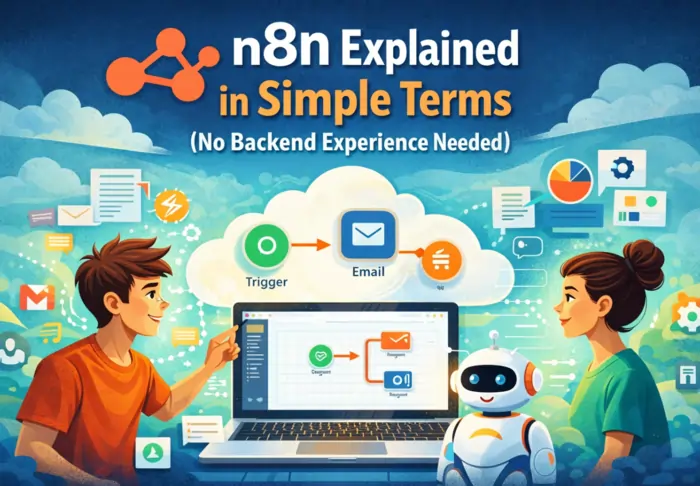
Introduction: n8n Explained for Non‑Backend Developers
If you’re a frontend developer or beginner in web development, the word backend can feel intimidating. Terms like servers, APIs, routes, and environments can drain your confidence before you even start.
Here’s the good news:
n8n is designed to show you backend logic visually—without requiring backend setup or deep coding experience.
This article breaks down n8n in simple terms so you can see backend workflows, not just read about them.
If you want extra context before this article, you can first read What Is n8n? and Why Web Developers Should Learn n8n Early, which explain what n8n is and why it fits perfectly into a modern web‑developer learning path.
For a step‑by‑step journey from frontend‑only to confident full‑stack thinking,
see n8n for Frontend Developers: From Zero to Backend Confidence.
Watch this video to understand better:
What Does an “n8n Workflow” Actually Mean?
At its core, an n8n workflow is just a sequence of steps that run when something triggers something else.
Instead of writing backend code like:
jsapp.post('/form', (req, res) => {
  // logic here
});
you build the same logic visually using nodes.
Each node:
- Takes input
- Does something with it
- Passes output to the next node
This visual flow is how developers already think about backend logic in their heads—n8n simply lets you see that logic on screen. A beginner‑friendly walkthrough of this idea is in The Complete Beginner’s Guide to n8n: Your First Workflow.
The Simple Logic Behind Every n8n Workflow
Every n8n workflow follows three simple parts:
Trigger – “When this happens…”
This is what starts the workflow.
Examples:
- A form submission
- A webhook call
- A scheduled task
- An API request
- A manual run from the editor
Triggers are basically:
“When this thing happens… start the workflow.”
In n8n, these are implemented using trigger nodes like the Manual Trigger or a Webhook trigger such as those used in Webhook and Google Sheets: Automate Workflows with n8n.
Process – “Here’s the logic…”
This is where your logic runs.
Examples:
- Format or clean up data
- Add if/else conditions
- Convert values
- Call another API with an HTTP Request
This is classic backend thinking, but without servers or frameworks. The official Level One introduction in the n8n docs uses the same mental model: trigger something, process the data, then act on it.
Action – “Do something with it.”
This is what happens as a result.
Examples:
- Save data to a database or Google Sheets
- Send an email
- Notify a Slack channel
- Post data to another API
This is the effect of your logic—exactly what backend code does, just expressed visually. The n8n team’s example in Webhook + Google Sheets automation follows this exact pattern.
Visual placeholder (insert an actual screenshot in your CMS here):
xml<img src="YOUR-N8N-3-NODE-WORKFLOW.png"
     alt="n8n visual workflow example showing a trigger, process, and action node connected in sequence" />
A Visual Metaphor for Backend Thinking
Most frontend developers already think in simple logic like:
“When the user clicks submit, save the info, then show a confirmation.”
Behind the scenes, that’s backend work.
With n8n, that same idea becomes:
Trigger → Process → Action
Submit form → Clean data → Save data → Notify user
The only difference is how you express it.
Instead of code like:
jsrouter.post('/submit', (req, res) => {
  saveToDb(req.body);
  sendConfirmationEmail(req.body.email);
});
you drag nodes, connect arrows, and configure fields.
Backend logic stops being a black box and becomes something you can literally see. Guides like Beginner’s Guide to n8n: Easy Workflow Automation describe this as building with logic “Lego blocks,” which is exactly how this article frames it.
Why Simple Visual Logic Matters
This way of working with n8n is especially helpful if you’re just getting comfortable with backend ideas:
- No server setup required
You don’t start by dealing with Express, Docker, VPS hosting, or deployment pipelines. - You see data move
You can watch data flow from node to node inside the editor. - Concepts before syntax
Key backend ideas like:- API requests
- Conditional flows
- Data transformation
- Authorization and headers
become easier to understand because you see them first, instead of fighting syntax in a code editor.
This “concepts first, code later” approach is how the n8n Level One course and n8n: A Guide With Practical Examples introduce the tool.
Example: Visual Logic for a Contact Form
Let’s walk through a simple, real‑world example—no backend code required.
Goal:
User submits a contact form → data is saved → you receive a notification.
Workflow in n8n:
- Trigger – Webhook
- A Webhook node listens for form submissions from your website.
- Process – Optional data formatting
- A Function or Set node can clean, validate, or reshape the form data.
- Action 1 – Save data
- A Google Sheets node stores the contact details.
- Action 2 – Notify you
- An Email, Slack, or Discord node sends you a notification.
Visually, this looks like:
Webhook → (Optional) Format Data → Google Sheets → Email/Slack
This mirrors common examples from the official Webhook + Google Sheets integration and beginner tutorials such as n8n Beginner Tutorial: Webhook, HTTP Request & Google Sheets.
You can embed that video in your page if you want a visual walkthrough:
xml<iframe
  width="560"
  height="315"
  src="https://www.youtube.com/embed/XyeZIAzIrZI"
  title="n8n Beginner Tutorial: Webhook, HTTP Request & Google Sheets"
  frameborder="0"
  allow="accelerometer; autoplay; clipboard-write; encrypted-media; gyroscope; picture-in-picture; web-share"
  referrerpolicy="strict-origin-when-cross-origin"
  allowfullscreen>
</iframe>
Common n8n Nodes (Cheat Sheet)
You can render this as a styled “cheat sheet” in your CMS.
xml<table>
  <thead>
    <tr>
      <th>Node Name</th>
      <th>What It Does (Simple)</th>
    </tr>
  </thead>
  <tbody>
    <tr>
      <td><strong>Webhook</strong></td>
      <td>Listens for incoming data from your site or another service</td>
    </tr>
    <tr>
      <td><strong>Manual Trigger</strong></td>
      <td>Lets you run a workflow on demand for testing</td>
    </tr>
    <tr>
      <td><strong>HTTP Request</strong></td>
      <td>Calls external APIs (GET/POST, etc.)</td>
    </tr>
    <tr>
      <td><strong>Function</strong></td>
      <td>Runs custom JavaScript logic on your data</td>
    </tr>
    <tr>
      <td><strong>Google Sheets</strong></td>
      <td>Reads from or writes to spreadsheets</td>
    </tr>
    <tr>
      <td><strong>Email / Gmail</strong></td>
      <td>Sends email messages</td>
    </tr>
    <tr>
      <td><strong>Slack / Discord</strong></td>
      <td>Sends notifications to chat channels</td>
    </tr>
  </tbody>
</table>
Beginner‑friendly guides such as n8n: A Guide With Practical Examples often recommend starting with exactly these nodes—Webhook, HTTP Request, and Google Sheets—because they cover most early use cases.
Still Think This Is “Too Backend”? Think Again
“Backend” used to mean:
- Setting up and securing servers
- Managing databases and connections manually
- Handling authentication and sessions
- Writing and deploying large amounts of framework code
Modern web development is shifting toward:
- Serverless and managed infrastructure
- API‑first architectures
- Visual automation tools
- Workflow orchestration across many services
In that environment, tools like n8n act as open‑source workflow orchestrators that glue everything together, without forcing you to be a backend expert on day one.
Most importantly, n8n makes backend concepts learnable instead of intimidating.
Conclusion: Backend Concepts Aren’t Scary—They’re Visual
n8n doesn’t replace backend learning—it supports it in a way that makes sense for visual thinkers, beginners, and frontend‑first developers who are tired of server‑setup pain.
If you can think in simple logic:
Trigger → Process → Action
then n8n lets you build backend behavior you actually understand, even if you’ve never written a line of backend code.
Frontend developers aren’t “backend avoiders.”
They’re backend thinkers—once you remove the complexity barrier and let them see how everything fits together.
