If you’re a web developer who’s comfortable with HTML, CSS, and a bit of JavaScript—but feels lost the moment “backend” comes up—you’re not behind. You’re normal, this is why we will discuss what is n8n all about.
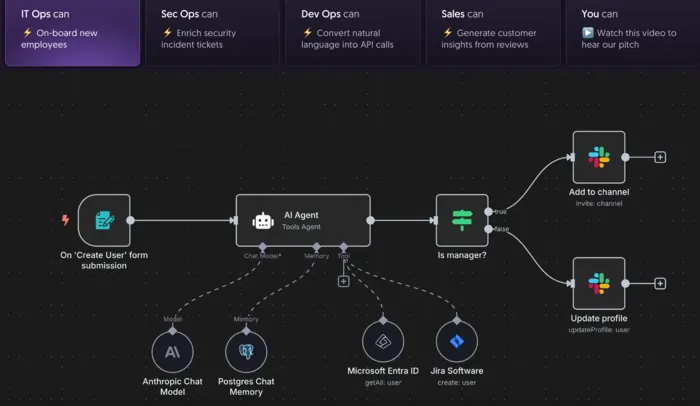
Most beginner developers don’t struggle with logic. They struggle with setup, infrastructure, and too many new concepts at once. That’s where n8n comes in.
This guide explains what n8n is, what it does, and why it makes sense for web developers, without backend jargon or hype. If you want the full journey from zero to backend confidence, this article sits inside the main pillar: n8n for Frontend Developers: From Zero to Backend Confidence.
What Is n8n (In Plain English)?

n8n is an open‑source workflow automation tool that lets you connect apps, APIs, and databases using a visual, node‑based interface.
In simpler terms:
n8n lets you build backend logic by connecting steps visually instead of writing lots of server code.
Each “step” is called a node, and each node does one thing:
- Receive data
- Process data
- Send data somewhere else
You connect these nodes to define what should happen when something occurs.
A great primer on this is DigitalOcean’s guide, “n8n: A Guide to Workflow Automation”.
If you prefer a tutorial format, check out A Beginner’s Guide to Automation with n8n” on freeCodeCamp.
Think of n8n as a Visual Backend Brain
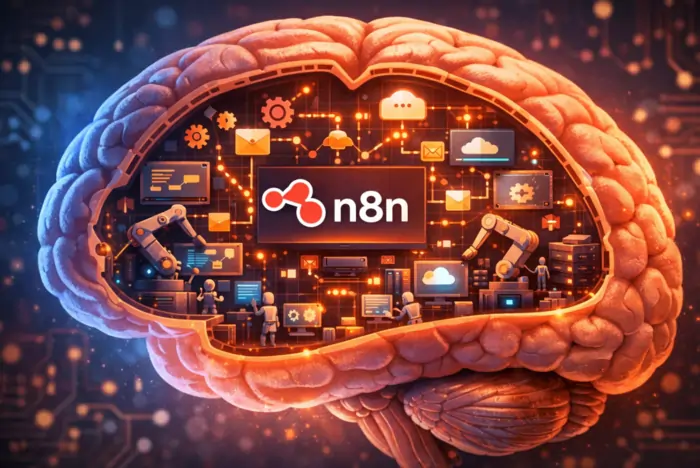
If your website were a human body:
- Frontend = the face (what users see)
- Backend = the brain (what decides what happens)
- n8n = a visual brain you can actually see working
Instead of guessing what your backend is doing, you can literally:
- See where data comes from
- See what happens to it
- See where it goes next
That visibility is incredibly helpful for learning.
The official n8n docs show this visually in the quickstart tutorial, “Your first workflow”.
xml<img src="YOUR-N8N-SCREENSHOT.png"
     alt="n8n visual workflow example showing nodes connecting like a brain" />
What Problems Does n8n Solve for Web Developers?
Beginner and intermediate web developers often want to build things like:
- Contact forms
- Signup flows
- Email notifications
- Data storage
- API integrations
But doing this “traditionally” usually means:
- Setting up a server
- Choosing and learning a backend framework
- Handling authentication and environment variables
- Managing deployments
- Debugging cryptic errors
n8n removes most of that early friction. You still think like a developer—but you’re not forced to become a DevOps engineer before your first feature works.
Ironhack’s overview of n8n as an open‑source automation tool shows how bootcamps are now teaching tools like n8n to fast‑track junior developers into building production‑like workflowsmuch earlier in their learning journey.
How n8n Works (Simple Flow)
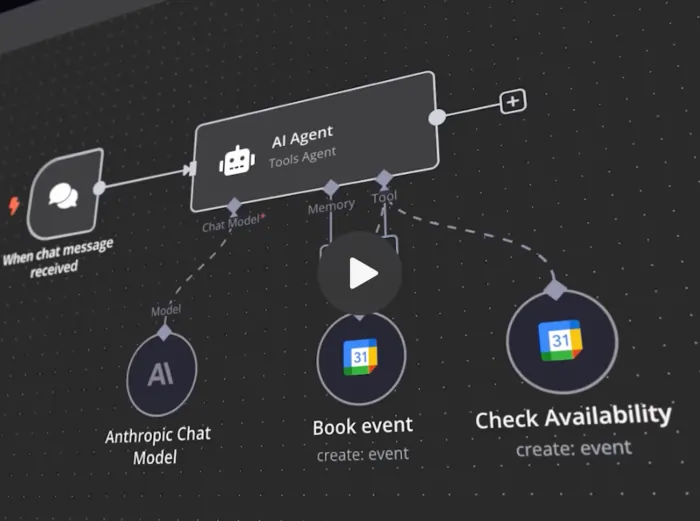
Every n8n workflow follows the same basic structure:
1. Trigger
Something starts the workflow:
- A form submission
- A webhook
- A scheduled event
- An API call
2. Process
n8n handles logic:
- Conditions
- Data formatting
- API requests
- Transformations
3. Action
Something happens:
- Send an email
- Save data
- Notify a service
- Call another API
That’s it. No magic—just clear cause → effect logic, which matches how the n8n docs walk through triggers and actions in their quickstart.
A Real Beginner Example
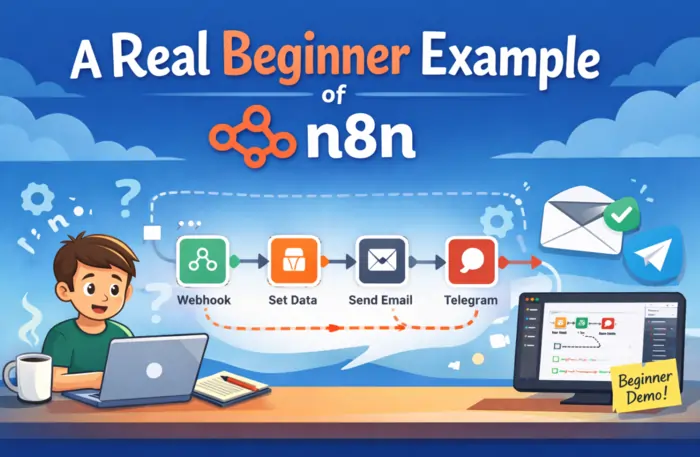
Let’s say you have a simple website contact form.
With n8n, the flow looks like this:
- User submits the form.
- The form sends data to an n8n webhook.
- n8n:
- Saves the data to Google Sheets
- Sends you an email
- Notifies you on Slack or Discord
No backend framework required.
No database setup needed (unless you want one).
You’re building real backend behavior, just visually.
If you like learning by watching, the video “n8n Quick Start Tutorial: Build Your First Workflow”walks through this style of workflow step by step.
What n8n Is Not (Important)
To avoid confusion, let’s be very clear: n8n is not:
- ❌ A website builder
- ❌ A frontend framework (React, Vue, Svelte, etc.)
- ❌ A design or UI tool
It does not replace frontend development.
Instead, n8n works behind the scenes, supporting your frontend by handling:
- Logic
- Automation
- Data flow
- Integrations
Think of it as a backend assistant, not a replacement for understanding how the web works. If you’re curious how developer‑friendly it really is, you can look directly at the n8n GitHub repository.
Do You Need Coding Skills to Use n8n?
You don’t need deep backend skills to start.
What helps:
- A basic understanding of how websites work
- Knowing what forms, APIs, and HTTP requests are
- Basic JavaScript knowledge (optional at first, but very useful later)
n8n actually makes coding less intimidating, because you learn backend concepts visually first. Many developers find that learning backend code is easier after using n8n, not before, which matches what intro tutorials like freeCodeCamp’s automation guide emphasize.
Why n8n Is Popular with Developers (Not Just No‑Code Users)
n8n isn’t just for “no‑code” users. Developers like it because:
- It’s open source
- It can be self‑hosted for more control and privacy
- It supports custom code (JavaScript/Python) inside workflows
- It works well with APIs and databases
- It fits into real development workflows (Git, CI, cloud, etc.)
You can start visually and gradually add code when you’re ready. Articles like “A Beginner’s Guide to Automation with n8n” and DigitalOcean’s n8n guide both highlight this “visual first, code when needed” approach.
When n8n Makes the Most Sense
n8n is especially useful when:
- You’re learning backend concepts for the first time
- You want fast results without a huge DevOps setup
- You’re building prototypes or MVPs
- You’re handling integrations and automation between tools
- You want to focus on logic, not infrastructure
It’s a learning bridge, not a shortcut. For a bigger, real‑world view, the paper “n8n – An Open‑Source Workflow Automation for Enterprise Integration and AI Orchestration” discusses how teams use n8n as a serious integration layer, not just a toy.
Final Thought
n8n doesn’t turn you into a backend expert overnight.
What it gives you is something more important early on:
- Understanding
- Momentum
- Confidence
And for many web developers, that’s the difference between giving up and shipping real features.
Where to Go Next
Ready to see how n8n helps you get from frontend to confident full‑stack thinking?
👉 Continue with the master pillar: n8n for Frontend Developers: From Zero to Backend Confidence.
If you want to get your hands dirty right away, you can also:
- Follow the official n8n docs for Your first workflow.
- Work through A Beginner’s Guide to Automation with n8n.
- Explore how other devs are using it in n8n: A Guide to Workflow Automation.