
Reasons Your Website Is Not Ranking? The most common reasons a website isn’t ranking on Google in 2026 are technical indexing issues, slow page speed, content that doesn’t match search intent, thin or outdated content, weak backlink profiles, poor mobile experience, and missing schema markup.
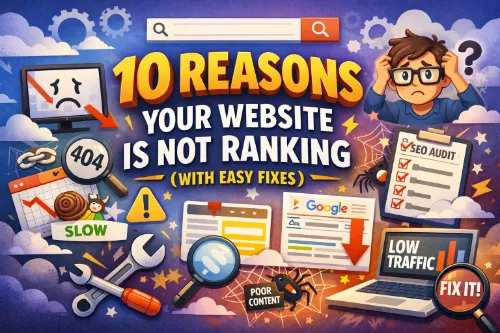
What are the 10 reasons your website isn’t ranking (and how to fix them)?
- Slow page speed and failing Core Web Vitals — Target LCP under 2.5s, INP under 200ms, and CLS below 0.1 using PageSpeed Insights.
- Content doesn’t match search intent — Analyze the top 10 results for your keyword and match the format and depth.
- Thin, outdated, or low-quality content — Publish at least 500 words of unique, useful content per page with original insights.
- Wrong keywords (too competitive) — Start with long-tail keywords under Difficulty 30 that match your actual offering.
- Google can’t crawl or index your site — Fix noindex tags, robots.txt errors, and orphan pages using Google Search Console.
- Weak or missing backlinks — Build quality backlinks through guest posts, digital PR, and industry directories.
- Not mobile-friendly — Use responsive design and pass Google’s Mobile-Friendly Test.
- Missing schema markup — Add LocalBusiness, Article, FAQ, and Product schema using Google’s Rich Results Test to validate.
- Broken on-page SEO basics — Fix titles, meta descriptions, heading hierarchy, alt text, and internal linking.
- Weak E-E-A-T signals — Add author bios, credentials, About page, cited sources, and customer reviews.
Introduction: Reasons Your Website Is Not Ranking
You’ve built a beautiful website. You’ve written content. You’ve even posted on social media to drive some traffic. But when you search for your own business on Google — nothing. Page one, page two, page five… silence.
You’re not alone. A landmark Ahrefs study of 14 billion web pages found that 96.55% of all pages get zero organic traffic from Google. Only 3.45% of pages receive any search traffic at all. That means the vast majority of the internet is essentially invisible in search results.
The good news? Most ranking problems are not mysterious. They fall into the same handful of predictable categories — and almost all of them are fixable once you know what you’re looking at. In this guide, we’ll walk through the 10 most common reasons your website isn’t ranking in 2026, with a practical, easy-to-implement fix for each one.
1. Google Can’t Crawl or Index Your Website
This is the number one silent killer of rankings — and it’s shockingly common. If Google’s crawler can’t access or index your pages, it doesn’t matter how brilliant your content is. You won’t show up, period.
Common culprits:
- A leftover
noindextag from when your site was in development - A misconfigured
robots.txtfile blocking important directories - Orphan pages with no internal links pointing to them
- Broken internal links preventing deeper page discovery
✅ Easy Fix:
- Open Google Search Console (set it up free if you haven’t).
- Go to the Pages report and look for “Not indexed” reasons.
- Inspect your HTML source for accidental
<meta name="robots" content="noindex">tags. - Check
yourdomain.com/robots.txtto ensure you’re not blocking/blog/,/services/, or other critical directories. - Make sure every important page is reachable within 3 clicks from the homepage.
📎 Further reading: Google’s official guide to crawling and indexing
2. Your Pages Are Too Slow (Failing Core Web Vitals)
Site speed has been a confirmed Google ranking factor since 2021, and in 2026 the bar is higher than ever. Users have fast connections, fast devices, and zero patience. If your pages load slowly, people bounce — and Google notices every millisecond.
The 2026 Core Web Vitals benchmarks:
- Largest Contentful Paint (LCP): under 2.5 seconds
- Interaction to Next Paint (INP): under 200ms
- Cumulative Layout Shift (CLS): below 0.1
Most common speed killers: uncompressed images, bloated third-party scripts (chat widgets, tracking pixels, ad code), slow hosting, and no CDN.
✅ Easy Fix:
- Run your URL through Google PageSpeed Insights — it’s free and tells you exactly what’s broken.
- Compress all images using TinyPNG or ShortPixel and convert to WebP format.
- Enable browser caching and GZIP compression.
- Audit your third-party scripts and remove anything you don’t actively use.
- Add a CDN like Cloudflare (free plan available).
📎 Further reading: web.dev Core Web Vitals documentation
3. Your Content Doesn’t Match Search Intent
This is the single most common issue found during modern SEO audits. A site writes a 2,000-word article targeting “best CRM software for small business” — but the article reads like a generic definition of what CRM software is, not a practical comparison that helps someone buy.
Google has become remarkably good at understanding search intent in 2026. It knows that query demands a side-by-side comparison with pricing, pros/cons, and a clear recommendation — not a dictionary entry.
The four types of search intent:
- Informational (“how does solar energy work”)
- Navigational (“Facebook login”)
- Commercial (“best running shoes 2026”)
- Transactional (“buy Nike Pegasus 41”)
✅ Easy Fix:
- Google your target keyword and analyze the top 10 results.
- Ask: Are they listicles? How-to guides? Product pages? Comparison pieces?
- Match that format and intent with your content.
- Ask yourself: “Does my page actually satisfy what a user would want after clicking this result?”
📎 Further reading: Ahrefs’ guide to search intent
4. Your Content Is Thin, Outdated, or Low-Quality
Since Google’s Helpful Content system rolled out (and continued evolving into 2026), a huge number of websites have seen traffic drops — not because of one bad page, but because of site-wide quality assessments. Google essentially evaluates whether your website exists primarily to help people or primarily to rank.
Red flags Google looks for:
- Articles under 500 words on competitive topics
- Content full of keyword stuffing with little genuine insight
- Outdated statistics and references (anything older than 2–3 years on fast-moving topics)
- Pages that read like they were written for algorithms, not humans
- AI-generated content published without human editing or original perspective
✅ Easy Fix:
- Audit every page: keep the great, merge the mediocre, delete or
noindexthe truly thin. - Ensure each service/product page has at least 500 words of unique content.
- Add original observations, data, screenshots, or case studies only you can provide.
- Refresh your top 10 underperforming pages with 2026 statistics and fresh insights.
- Display a visible “Last updated” date and mean it.
📎 Further reading: Google’s helpful content guidelines
5. You’re Targeting the Wrong Keywords
New websites constantly try to rank for “SEO agency” or “web design” in year one. It’s a predictable, costly mistake. Those keywords are dominated by sites with decades of authority, thousands of backlinks, and massive content libraries.
✅ Easy Fix: Start with long-tail keywords where competition is manageable.
Instead of “SEO agency,” target:
- “SEO agency for ecommerce brands in [your city]”
- “affordable SEO for local dentists”
- “SEO audit for Shopify stores”
Long-tail keywords typically have lower search volume but dramatically higher conversion rates and realistic ranking chances for newer sites. Use keyword research tools to find variations:
- Open Google Keyword Planner (free with an Ads account).
- Mine Google’s “People Also Ask” and autocomplete suggestions.
- Look for keywords with Difficulty under 30 and intent that matches your offering.
📎 Further reading: Semrush’s keyword research guide
6. Your Backlink Profile Is Weak or Nonexistent
Backlinks remain one of Google’s most powerful trust signals in 2026. Think of them as votes of credibility: when reputable websites link to yours, Google assumes your content must be worth something.
If you have zero quality backlinks, Google has no third-party confirmation that you’re legitimate. Meanwhile, your competitors are collecting links from industry publications, partners, and media — and pulling further ahead every month.
✅ Easy Fix:
- Audit your current backlinks using Ahrefs Free Backlink Checker or Moz Link Explorer.
- Disavow or remove any spammy, toxic links pointing at you.
- Build real links through:
- Guest posting on industry blogs in your niche
- Resource page outreach (“hey, I have a free guide on X that fits your resources page”)
- HARO / Connectively / Qwoted to get quoted in major publications
- Digital PR — publish original data that journalists will cite
- Local chamber of commerce and industry directory listings (especially for local businesses)
Google has gotten dramatically better at evaluating link quality over quantity. One link from a respected industry publication beats 50 spammy directory listings.
📎 Further reading: Backlinko’s guide to building backlinks
7. Your Website Isn’t Mobile-Friendly
Google has used mobile-first indexing exclusively since 2024 — meaning it only evaluates the mobile version of your site for ranking decisions. If your mobile experience is broken, slow, or hides content, you’re handing rankings to competitors.
Common mobile mistakes:
- Content hidden behind tabs or accordions on mobile but visible on desktop
- Text too small to read without pinching
- Buttons and links packed too close to tap accurately
- Separate m-dot mobile URLs with less content than desktop
- Intrusive popups blocking content
✅ Easy Fix:
- Run Google’s Mobile-Friendly Test on your key pages.
- Use responsive design (same HTML serves all devices) — not separate mobile URLs.
- Compare desktop and mobile views side by side: every piece of text, link, and structured data visible on desktop should also be present on mobile.
- Make sure tap targets are at least 48×48 pixels with adequate spacing.
- Eliminate intrusive interstitials that cover the main content on page load.
📎 Further reading: Google’s mobile SEO best practices
8. You’re Missing Schema Markup (Structured Data)
Schema markup is how you hand Google a pre-labeled map of your content. Without it, you’re forcing Google to guess what your page is about — and it will often pick a competitor who made its job easier. In 2026, schema is also critical for getting cited by AI systems like ChatGPT and Google AI Overviews.
Essential schema types by page type:
- LocalBusiness schema — for local service businesses (name, address, phone, hours)
- Article schema — for blog posts (author, publish date, headline)
- FAQPage schema — for FAQ sections (qualifies you for rich results)
- Product schema — for ecommerce product pages (price, ratings, availability)
- Review schema — for customer testimonials (those beautiful star ratings in SERPs)
- BreadcrumbList — for navigation clarity
✅ Easy Fix:
- Use Schema.org to find the right schema type for each page.
- Generate the JSON-LD code with Merkle’s Schema Generator (free).
- Paste it into your page’s
<head>section or use a plugin like RankMath or Yoast on WordPress. - Validate using Google’s Rich Results Test.
Implementing proper schema can qualify your pages for rich snippets, FAQ expansions, review stars, and AI Overview citations — all of which dramatically increase click-through rates.
📎 Further reading: Schema.org full documentation
9. Your On-Page SEO Basics Are Broken
On-page SEO is how Google understands what each page is about. If your titles, headings, and meta tags are weak, duplicate, or missing, Google has no clear signal of what keyword you deserve to rank for.
The on-page checklist most sites fail:
- Title tag: under 60 characters, includes primary keyword, compelling
- Meta description: 150–160 characters, includes keyword, writes like ad copy
- One H1 per page using the primary keyword naturally
- H2s and H3s in a logical hierarchy
- Image alt text describing the image (and including keywords when relevant)
- Internal links to related pages on your site using descriptive anchor text
- Clean, readable URLs (e.g.,
/seo-tipsnot/post?id=4829)
✅ Easy Fix:
- Run a free audit with Screaming Frog SEO Spider (free up to 500 URLs) or Semrush’s Site Audit.
- Identify pages with missing, duplicate, or over-long titles and meta descriptions.
- Rewrite each one using your focus keyword + a compelling benefit hook.
- Make sure every image has descriptive alt text (good for SEO and accessibility).
- Add 3–5 contextual internal links from old posts to new posts.
📎 Further reading: Moz’s beginner’s guide to on-page SEO
10. Your Website Has Weak E-E-A-T Signals
E-E-A-T — Experience, Expertise, Authoritativeness, and Trustworthiness — became Google’s primary quality filter in 2026, especially after the March 2026 core update. If your site lacks credibility signals, Google will rank you lower regardless of how technically sound your SEO is.
What weak E-E-A-T looks like:
- Articles published anonymously or under a generic “Admin” byline
- No About page or one that reveals nothing about who you are
- No author bios, credentials, or links to LinkedIn profiles
- No cited sources or references backing your claims
- No contact information, physical address, or customer support details
- Zero online reviews or social proof
✅ Easy Fix:
- Add a detailed About page with your team, history, mission, and credentials.
- Create author profile pages with bios, photos, LinkedIn links, and published work.
- Add author bylines with credentials to every blog post.
- Cite primary sources — link out to research papers, government data, original studies.
- Add first-person experience: case studies, screenshots, client results, photos.
- Collect and display reviews — Google reviews, Trustpilot, G2, industry-specific platforms.
- Include full contact info in the footer (physical address, phone, email) — especially important for YMYL (Your Money Your Life) niches.
📎 Further reading: Google’s Search Quality Rater Guidelines (official PDF)
How Long Does It Take to See Results After Fixing These Issues?
Be realistic about timelines:
- Technical fixes (indexation issues, site speed, noindex tags): visible improvements within days to weeks once Google recrawls.
- Content improvements: expect 60–90 days for a well-written page to start climbing.
- Backlink-building: Google needs to discover, evaluate, and factor new links — typically 60–120 days per campaign.
- Full recovery from a core update hit: often weeks to months, and sometimes requires waiting for the next core update.
The most important principle: SEO is cumulative. Every fix compounds. A site that addresses all 10 issues on this list won’t see linear improvement — it will see accelerating improvement as multiple factors reinforce each other.
Your 7-Day Action Plan
If this list feels overwhelming, here’s a prioritized week of work to get you started:
- Day 1: Set up (or reopen) Google Search Console and check the Pages report for indexing issues.
- Day 2: Run PageSpeed Insights on your 10 most important pages; fix images and caching.
- Day 3: Audit your top 5 pages for search intent — rewrite or restructure where needed.
- Day 4: Fix meta titles and descriptions across all pages.
- Day 5: Add schema markup to your top-performing pages.
- Day 6: Write a strong About page and add author bios to blog posts.
- Day 7: Identify 3 backlink opportunities (guest posts, resource pages, or directory listings) and pitch them.
Seven days won’t fix everything, but they’ll give you measurable momentum — and Google will notice.
FAQs
1. Why is my website not ranking on Google?
The most common reasons include indexing issues, slow speed, poor content quality, weak backlinks, and missing schema markup.
2. How do I know if Google indexed my website?
You can check using Google Search Console under the Pages report or by searching “site:yourdomain.com” on Google.
3. What is the fastest way to fix indexing issues?
Remove noindex tags, fix robots.txt errors, and submit your sitemap in Google Search Console.
4. Does page speed really affect rankings?
Yes, slow loading pages increase bounce rates and reduce your chances of ranking well.
5. What are Core Web Vitals?
They are performance metrics that measure loading speed, interactivity, and visual stability.
6. What is search intent in SEO?
Search intent refers to what the user actually wants when typing a query on Google.
7. How do I match search intent?
Analyze the top-ranking pages and create content similar in format and depth.
8. What is considered thin content?
Content with little value, low word count, or lacking useful information for users.
9. How many words should a page have?
At least 500 words of useful, original content is a good starting point.
10. Why are my keywords not working?
They may be too competitive or not aligned with what your audience is searching for.
11. What are long-tail keywords?
Specific keyword phrases with lower competition but higher chances of ranking.
12. Do backlinks still matter in 2026?
Yes, backlinks remain a strong signal of trust and authority.
13. How can I get backlinks?
Through guest posting, digital PR, directories, and publishing valuable content.
14. Why is mobile-friendliness important?
Google uses mobile-first indexing, meaning it ranks based on your mobile site version.
15. What is schema markup?
Structured data that helps search engines better understand your content.
16. Which schema types should I use?
Common ones include LocalBusiness, Article, FAQPage, and Product schema.
17. What are on-page SEO basics?
Titles, meta descriptions, headings, internal links, and image alt text.
18. What is E-E-A-T in SEO?
It stands for Experience, Expertise, Authoritativeness, and Trustworthiness.
19. How long does it take to rank on Google?
It can take weeks to months depending on competition and improvements made.
20. Can I rank without backlinks?
It is possible for low-competition keywords, but backlinks greatly improve your chances.

