
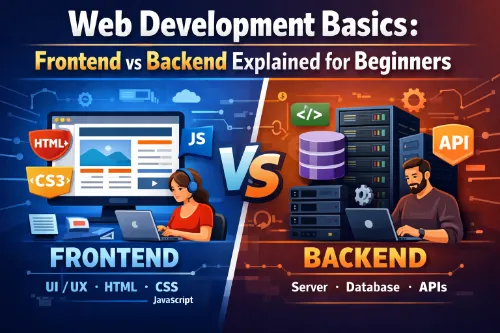
Web development is the process of building websites and web applications that people can open in their browsers. When you first hear terms like frontend, backend, and full stack development, it can sound confusing, but the core idea is simple: different parts of a website do different jobs.
In this guide, you will learn web development basics and see the difference between frontend vs backend explained in plain language. You will understand what client side vs server side means, what frontend development looks like, what backend development handles behind the scenes, and how both work together to create the sites you use every day. This is written for beginners, career switchers, and students who want an easy starting point.
How Websites Work: Client and Server in Simple Terms
Before we compare front end vs back end, you need a high‑level picture of how websites actually work. When you type a URL into your browser and press Enter, your browser (the client) sends a request across the internet to a server that hosts the website.
The server processes that request, runs some server side logic, talks to databases if needed, and sends back a response—usually an HTML page plus related files. Your browser then displays that result as a web page you can see and interact with. The part you see and click is called the frontend or client side, while the part on the remote machine that handles data and business logic is called the backend or server side.
What Is Frontend Development?
Frontend development, also called client side development, is the part of web development that focuses on everything the user sees and interacts with in the browser. When you see buttons, images, forms, navigation menus, or animations on a website, all of that is the frontend.
The main goal of a frontend developer is to turn designs and ideas into actual web pages that look good, work on different devices, and respond smoothly when the user clicks or types. Frontend work is very connected to user experience (UX) and visual layout, so it suits people who like design, creativity, and seeing instant results in the browser.
Key Frontend Technologies: HTML, CSS, and JavaScript
At the core of frontend development basics are three fundamental technologies:
- HTML: This provides the structure of a page. It defines headings, paragraphs, images, links, forms, and other elements. You can learn more in the MDN guide for HTML: HyperText Markup Language.
- CSS: This handles styling and layout. It controls colors, fonts, spacing, layouts, and responsiveness so pages work on phones, tablets, and desktops. MDN’s CSS and layout guides are a great next step.
- JavaScript: This adds interactivity and dynamic behavior. It allows pages to respond to user actions, update content without reloads, and communicate with the backend. For a solid starting point, see MDN’s JavaScript Guide.
When people search terms like frontend technologies (HTML, CSS, JavaScript) or frontend development basics, they are often looking for resources that explain these three in simple language, because they form the foundation of any front end web development path.
Popular Frontend Frameworks and Tools
Modern front end vs back end web development involves many tools. On the frontend, developers often use frameworks and libraries to build complex interfaces faster and more reliably.
Common frontend frameworks and libraries include:
- React
- Angular
- Vue
These tools help manage user interfaces, state, and reusable components. Many web development career paths for frontend roles mention at least one of these frontend technologies. A good overview of frontend vs backend tools for beginners is this guide on choosing between frontend and backend development. On top of that, frontend developers use build tools and bundlers to optimize code for performance.
What Do Frontend Developers Do Day to Day?
A frontend web developer typically:
- Turns design mockups into real web pages with HTML, CSS, and JavaScript.
- Makes websites responsive so they adapt to different screen sizes.
- Implements forms, buttons, menus, and interactive features.
- Works closely with designers and backend developers to ensure a smooth user experience.
When people compare frontend vs backend roles and responsibilities, this visible, UX‑focused side is what they are talking about for frontend. If you enjoy working on layouts, color schemes, and interactions, you may be drawn toward frontend web development as a career path.
For a structured beginner path, you can follow MDN’s Learn web development track, which is designed for new frontend developers.
What Is Backend Development?
Backend development, also known as server side development, is the part of web development that you do not see directly in the browser. It focuses on the logic, data, and infrastructure that power an application behind the scenes.
A backend developer deals with tasks like user authentication (logins), handling form submissions, reading and writing data to databases, and making sure everything stays secure and efficient. While frontend vs backend both matter, the backend is usually less about visuals and more about problem‑solving, algorithms, and performance.
A clear overview of the differences is available in AWS’s article Front End vs Back End – Difference Between Application Development.
Key Backend Technologies: Languages, Databases, and APIs
Core backend development basics include:
- Programming languages such as Node.js (JavaScript on the server), Python, PHP, Java, Ruby, or others.
- Databases, which store data so it can be saved and retrieved later. These include relational databases (like MySQL or PostgreSQL) and non‑relational databases (like MongoDB).
- APIs (Application Programming Interfaces), which define how the frontend and other systems can talk to the backend.
When a page needs data, the frontend sends a request to an API endpoint. The backend receives the request, performs the necessary server side work (for example, checking a password or fetching a list of products from a database), and sends a response back.
If you want a broader view that covers both sides, MongoDB’s guide What Is Full Stack Development? explains how frontend, backend, and databases fit together.
What Do Backend Developers Do Day to Day?
A backend web developer usually:
- Designs the structure of the database and writes queries to work with data.
- Builds API endpoints that allow the frontend to create, read, update, or delete data.
- Implements business logic, such as user roles, payment processing, or complex calculations.
- Handles backend technologies related to security, performance, scalability, and server configuration.
If you enjoy working with logic, data, and system design, you may find backend development a better fit when you explore frontend vs backend which to choose.
Frontend vs Backend: Main Differences
When people search for difference between frontend and backend or front end vs back end, they usually want to understand what sets these two parts apart. At a high level, the differences include:
- Where the code runs
- Frontend: runs in the browser on the user’s device (client side).
- Backend: runs on a remote machine or cloud infrastructure (server side).
- What the focus is
- Frontend: visual layout, user interface, and user experience.
- Backend: data, logic, security, and performance.
- Tools and skills used
- Frontend: HTML, CSS, JavaScript, UI frameworks, basic design skills.
- Backend: server‑side languages, databases, APIs, and architecture patterns.
The article The Difference Between Front-End vs. Back-End gives another concise summary of these distinctions. Understanding these differences helps beginners make better decisions when comparing frontend vs backend for beginners and thinking about their own web development career paths.
A Simple Real‑World Analogy
A helpful way to remember frontend vs backend is to think of a restaurant:
- The frontend is the dining area—the tables, menus, lighting, and the way food is presented. It is what customers see and experience directly.
- The backend is the kitchen, storage, and logistics. Chefs, recipes, and equipment work behind the scenes to prepare meals correctly and on time.
Both parts must work together. A beautiful dining area with a bad kitchen will fail, and an excellent kitchen that no one can access comfortably will also struggle. The same is true for front end vs back end web development.
Where Frontend and Backend Meet: Client Side vs Server Side
Although people often compare client side vs server side as if they are completely separate, they are tightly connected. When a user fills in a login form on the frontend, JavaScript collects the information and sends it to the backend API over HTTP.
The server side processes the request, checks the details against the database, and sends back a response (success or error). The client side then updates the screen based on that response. This pattern appears everywhere: when you search for products, submit a contact form, or see personalized content after signing in.
What Is Full Stack Development?
When you see the term full stack development, it refers to working on both the frontend and backend of a web application. A full stack developer is someone who can handle client side and server side tasks, even if they specialize in one more than the other.
Many beginners ask whether they should aim straight for full stack development. It can be a strong long‑term goal because you understand the whole flow of a web app. However, it is usually easier to start by focusing on either frontend development or backend development basics first, then expanding to become more full stack later.
To dig deeper into this path, check out What is Full-Stack Development? A Beginner’s Guide or Coursera’s overview What Is a Full-Stack Developer?.
Which Should Beginners Learn First: Frontend or Backend?
When you search for which is better frontend or backend or frontend vs backend which to choose, you are really asking which path fits your interests and goals. There is no single correct answer, but some guidelines help:
- Choose frontend first if you:
- Enjoy visual work, design, and direct interaction with users.
- Like seeing instant changes in the browser as you code.
- Want to work closely with designers and UX specialists.
- Choose backend first if you:
- Enjoy logic, data, and problem‑solving.
- Are interested in how systems scale, stay secure, and stay fast.
- Like working with databases, APIs, and server architectures.
Many people start with HTML, CSS, and basic JavaScript because they are concrete and visual. From there, they either deepen their frontend development skills or move toward backend development once they understand how the browser side works.
Simple Learning Roadmap for Beginners
Here is a straightforward beginner roadmap that touches both frontend vs backend areas.
Frontend Path (Client Side)
- Learn HTML to structure pages.
- Learn CSS for layout, colors, and responsive design.
- Learn JavaScript for interactivity and to talk to APIs.
- Build small projects: a personal portfolio, a landing page, or a basic interactive app.
- Explore frontend frameworks like React, Vue, or Angular once you are comfortable with core JavaScript.
This path gives you solid frontend development basics, and you will naturally use phrases like front end web development and frontend web developer when describing your skills. For step‑by‑step tutorials, MDN’s Web development tutorials section is a good companion.
Backend Path (Server Side)
- Choose one backend language (for example, JavaScript with Node.js or Python).
- Learn how to handle HTTP requests and responses.
- Learn about databases and practice storing and retrieving data.
- Build simple APIs such as a todo list API or a basic user login system.
- Add layers like authentication, validation, and error handling.
This path builds strong backend development basics and prepares you for roles with titles like backend web developer or backend engineer.
Common Myths About Frontend and Backend
When researching frontend vs backend topics, beginners often run into myths:
- “Frontend is easy and backend is hard.”
Both have easy and advanced areas. Building a simple static page is easier than designing a complex backend architecture, but advanced JavaScript and large‑scale UI work can be very challenging. - “You must know everything to get hired.”
For entry‑level roles, you mainly need solid basics in your chosen area, a few small projects, and the ability to learn. You do not need to master every frontend technology or every backend technology at once. - “You cannot get a job if you do only frontend or only backend.”
Many companies hire dedicated frontend and backend developers. Full stack development is helpful, but specialization is still very common.
Next Steps: Turning Basics into Real Skills
Now that you have seen frontend vs backend explained for beginners, the best next step is to pick a starting point and build small projects. Even simple things like a portfolio website, a contact form, or a basic API will help you move from theory to practice.
As you progress, you will naturally use and understand phrases like frontend vs backend web development, client side vs server side, and full stack development. Instead of worrying about the perfect label, focus on writing clean code, building useful projects, and learning how the pieces fit together from the browser to the server and back.
Frequently Asked Questions (FAQs)
1. Do I need a computer science degree to become a web developer?
No, you do not need a computer science degree to become a web developer. Many developers are self‑taught or come from coding bootcamps, short courses, or completely different backgrounds.
2. How long does it take to learn frontend or backend development?
For most beginners, it takes around 3–6 months of consistent practice to get comfortable with the basics of frontend or backend. Getting job‑ready usually takes 6–12 months, depending on how much time you dedicate and how many projects you build.
3. Can I learn frontend and backend at the same time?
You can, but it is usually better to start with one side (often frontend) to avoid feeling overwhelmed. Once you are comfortable with HTML, CSS, and basic JavaScript, you can slowly add backend concepts like APIs and databases.
4. Is web development still in demand?
Yes, web development is still in high demand because almost every business needs a website or web app. New frameworks appear, but the core skills (HTML, CSS, JavaScript, backend languages, and databases) remain valuable over time.
5. What equipment do I need to start learning web development?
You only need a computer, an internet connection, and a modern browser to begin. A simple code editor (like VS Code) is enough to practice HTML, CSS, JavaScript, and basic backend code.
6. Do I need to be good at drawing or design for frontend development?
You do not need to be an artist or graphic designer to do frontend work. Basic design sense helps, but you can learn layout, spacing, and color usage over time and rely on existing design systems or UI kits when starting.
7. Which backend language should a beginner choose first?
A good approach is to pick one language with a large beginner community and lots of tutorials, such as JavaScript with Node.js or Python. The exact choice matters less than sticking with it long enough to build real projects.
8. Can I build mobile apps if I learn web development?
Yes, web development skills can lead into mobile development. You can build mobile‑friendly web apps, use progressive web apps (PWAs), or later learn frameworks like React Native or Flutter that reuse some web concepts.
9. How do I know if my projects are “good enough” for a portfolio?
A project is good enough if it works, solves a clear problem, and shows the skills you claim (for example, responsive layout for frontend or a working API for backend). Clarity and completeness matter more than fancy design when you are a beginner.
10. What is the best way to practice web development daily?
Set a small, consistent goal: code for 30–60 minutes a day, follow a structured tutorial or roadmap, and always be building something (even tiny components or mini‑apps). Regular hands‑on coding is more effective than only reading or watching videos.

