
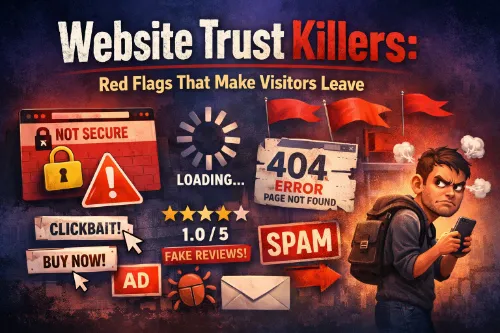
If your website feels even slightly “off,” your visitors can sense it—and they bounce before you ever get a chance to convert them. In a world where people judge a site in seconds, website trust killers quietly sabotage your traffic, leads, and sales.
This guide breaks down the biggest website credibility killers, the subtle website trust issues that scare visitors away, and the website trust signals you need to strengthen if you want people to stay, click, and buy.
Why Website Trust Matters More Than Design Alone
People don’t sit down and analyze your site like an auditor. They skim a few visual cues, read a line or two of copy, look for basic website trust signals, and decide almost instantly if you’re safe or sketchy.
When your website trust and credibility are low, you’ll see:
- Higher bounce rates and shorter sessions
- Fewer sign‑ups, inquiries, or sales, even if your offer is solid
- Weaker organic performance, because search engines increasingly reward sites that feel authoritative, user‑friendly, and legitimate
Strong website credibility factors—clear messaging, smooth UX, social proof, and visible security—tell both humans and algorithms that you’re the real deal, not a random site trying to grab their data and disappear.
For a deeper breakdown of what drives credibility, you can also review this detailed website credibility checklist.
Design Red Flags That Instantly Kill Trust
1. Outdated or Broken Design
Nothing says “we don’t really care about this business” like an old, broken layout. An outdated template, clashing colors, tiny fonts, or misaligned sections are classic website credibility killers.
This kind of unprofessional website design sends one big message: if you’re not investing in your own site, why should visitors invest their time or money in you? Outdated design quietly erodes core website trust factors before your content even gets a chance.
How to fix it:
- Refresh your theme or template to something modern and responsive
- Clean up spacing, alignment, and font choices so the site looks intentional, not accidental
- Check every key page on mobile—broken mobile layouts are silent website trust killers all by themselves
For inspiration, this guide on designing a website that builds trust and credibility breaks down core visual principles you can borrow.
2. Low‑Quality Images and Visual Chaos
Pixelated logos, blurry hero images, and overused stock photos don’t just look cheap; they actively create website trust issues. Users associate low‑quality visuals with low‑quality businesses.
Visual website trust signals include:
- A clean, sharp logo that’s consistent across pages
- Real photos where possible, or at least stock images that feel natural and on‑brand
- A consistent color palette, not rainbow chaos
If your visuals look thrown together, visitors subconsciously tag your website trust and credibility as “low” before they even read your first headline.
3. Cluttered Layout and Overwhelming Pages
You can have amazing content and still lose people if your layout screams chaos. Too many sections, banners, pop‑ups, and random elements create a cluttered UI that feels stressful, not helpful.
A cluttered layout:
- Makes it harder to find what matters
- Looks spammy, like you’re trying to push everything at once
- Reduces website credibility because it feels like you care more about clicks than clarity
Whitespace is not “wasted space.” It’s a design‑driven trust tool that lets your most important website trust signals breathe.
UX and Navigation Trust Killers
4. Slow‑Loading Pages
A slow website doesn’t just frustrate visitors; it actively kills website trust. When a page spins too long, people assume the site is broken, inexperienced, or not worth the risk—especially if they’re about to enter personal info.
A slow website kills trust because:
- It feels neglected, like nobody is maintaining it
- It raises concerns about how secure or modern your tech stack is
- It reminds people of sketchy sites they’ve bounced from before
Improving speed is one of the clearest UX trust signals for both users and search engines, and it’s highlighted in most SEO and trust‑signal guides.
5. Confusing Navigation and Broken Links
If visitors can’t quickly find what they came for, they don’t blame themselves—they blame your site. Confusing menus, vague labels, and dead links are high‑impact website trust killers.
Common website trust issues in navigation:
- Menu labels that are cute but unclear (e.g., “Magic” instead of “Services”)
- Important pages hidden in drop‑downs that nobody opens
- Broken links and 404 pages that suggest your site isn’t maintained
Trust‑friendly navigation is simple: clear labels, logical structure, working links. When people feel oriented, your website trust and credibility go up automatically.
6. Aggressive Pop‑Ups and Intrusive Ads
Yes, pop‑ups can work. But if they appear instantly, cover the whole screen, repeat on every page, or stack on top of ads, you’re not “optimizing conversion”—you’re trashing your website credibility.
Aggressive pop‑ups and intrusive ads:
- Interrupt reading and break any sense of flow
- Make the site feel spammy and desperate
- Turn even curious visitors off, creating lasting website trust issues
Use pop‑ups and promos strategically: time‑delayed, exit‑intent, or scroll‑based, with a clear value exchange. Anything else is a website trust killer in disguise.
Content and Copy Red Flags That Ruin Credibility
7. Vague, Hypey, or Overpromising Copy
If your copy sounds like a late‑night TV pitch—“guaranteed,” “secret trick,” “instant results”—you’re instantly raising suspicion. Overpromising is one of the most common website trust killers.
Visitors today look for:
- Specific benefits instead of vague hype
- Honest framing around who your offer is for and who it’s not for
- Realistic expectations instead of miracle claims
Overblown promises cause website trust issues because they trigger the “this is too good to be true” alarm. Clear, grounded messaging is a direct website trust signal.
8. Poor Grammar, Typos, and Inconsistent Tone
Typos happen. But constant spelling mistakes, broken grammar, and clumsy sentences make your brand feel rushed and careless. That carelessness hits your website trust and credibility hard.
On top of that, switching tone from corporate on one page to chaotic on the next confuses people. A scattered voice feels like multiple strangers wrote the site, and that inconsistency is a subtle website credibility killer.
Simple fixes:
- Run all pages through grammar and spell checks
- Use one clear brand voice—confident, approachable, and consistent
- Cut jargon where possible and write like a real human, not a robot or a brochure
Educators even train students to evaluate pages using a formal website credibility checklist, and those same principles apply to your brand.
9. Missing or Thin Essential Pages
A site with no About page, no clear Contact page, and no visible Privacy Policy is sending major red flags. Missing or low‑effort essential pages are classic website credibility killers.
People expect:
- About: Who’s behind this, and why should I listen to you?
- Contact: How can I reach you if I have a problem or a question?
- Privacy Policy and Terms: How do you handle my data and transactions?
If these pages are thin, hidden, or absent, you’re creating unnecessary website trust issues—especially for visitors who are privacy‑aware or risk‑averse.
Social Proof and Reputation Trust Killers
10. No Reviews, Testimonials, or Case Studies
If you’re asking someone to trust you—especially with their money—and you show zero proof that anyone has trusted you before, that silence is loud. A lack of social proof is one of the most visible website trust killers.
Social proof that boosts website trust and credibility:
- Testimonials with real names, roles, and specific outcomes
- Case studies that show the “before and after,” not just fluffy praise
- Ratings and reviews from third‑party platforms where relevant
Guides like Compose.ly’s overview of trust signals and conversions highlight testimonials and reviews as core credibility levers.
11. Fake or Suspicious Testimonials
Fake testimonials are worse than none. Stock photos, made‑up names, and generic one‑line “This was amazing!” quotes feel staged. That’s a direct website credibility killer.
What feels fake:
- Testimonials with no last names, roles, or context
- Reviews that all sound identical, like they were written by one person
- Photos that are obviously stock or reused across multiple profiles
If visitors sniff out fake social proof, your website trust factors take a hit, and recovering from that perception is hard.
For standards and examples, this in‑depth website credibility checklist with testimonial guidance is a useful reference.
12. Inactive or Nonexistent Social Presence
You don’t need to post daily, but an obviously dead or nonexistent social presence can hurt website credibility. People often click through to social icons to see if you’re active and real.
Basic social website trust signals:
- Recent posts, even if just a few times per month
- Real interactions—comments, replies, or stories
- Profiles that match your site branding and messaging
If your latest post is from two years ago, or you link to empty profiles, it feeds into larger website trust issues about whether the business is still operating.
Security and Privacy Trust Killers
13. No HTTPS or Visible Security
If your browser shows “Not secure,” your forms ask for personal info, and you’re still on HTTP, that’s a dealbreaker. Lack of HTTPS and obvious security cues are straightforward website trust killers.
Security‑driven website trust signals:
- HTTPS across every page, not just checkout
- Recognizable trust badges from payment providers or security tools (used honestly, not faked)
- No browser warnings or mixed‑content issues
SEO and technical trust resources consistently stress that HTTPS is both a ranking factor and a user trust factor, as outlined in this guide on improving trust signals for better SEO.
14. Unclear Data Practices and Privacy
Collecting emails? Using tracking pixels? Running analytics? If you’re doing any of this without clearly telling people, you’re generating quiet website trust issues.
Privacy‑friendly website trust factors:
- A visible, readable, human‑sounding privacy policy
- Clear cookie or tracking notices that don’t feel sneaky
- Short explanations of what data you collect and why
Users and search engines both expect transparency as part of broader E‑E‑A‑T and trust frameworks.
15. Suspicious or Overcomplicated Checkout
Checkout is where people are already slightly nervous. If your checkout feels long, confusing, or off‑brand, it becomes another website trust killer.
Trust‑breaking behaviors:
- Asking for irrelevant personal details
- Hiding final pricing until the last step
- Sending people to a third‑party payment page that looks nothing like your site
Checkout should feel short, clear, and predictable. Every extra friction point chips away at your website trust and credibility.
Brand and Consistency Trust Killers
16. Inconsistent Branding and Messaging
If every page looks like it was designed by a different person at a different time, your brand feels unstable. Inconsistent colors, fonts, visuals, and messaging are subtle but powerful website credibility killers.
Consistent branding:
- Makes visitors feel like they’re in the same “space” across your site
- Reinforces memory and recognition when they come back
- Signals maturity and stability—key website trust factors
When your brand feels cohesive, people subconsciously relax. When it doesn’t, website trust issues creep in, even if they can’t explain why.
17. No Real People Behind the Brand
A faceless brand is always harder to trust. If your site never shows the people behind it, visitors are left wondering who’s actually responsible.
Human‑driven website trust signals:
- Founder or team photos, even if simple and casual
- A short origin story that explains why you do what you do
- Copy that feels like it was written by a person, not a committee
Articles on building online credibility consistently highlight transparency, story, and team visibility as core trust pillars.
How to Audit Your Site for Trust Killers
Before you tear everything down, run a clear, repeatable audit. The goal is to find and fix your biggest website trust killers, not obsess over minor imperfections.
Use this quick checklist:
- Design: Does your site look current, clean, and aligned, or outdated and messy?
- UX & navigation: Can a new visitor find your main offer, pricing, and contact within a few clicks?
- Content: Is your copy clear, honest, typo‑free, and consistent with your brand voice?
- Social proof: Do you show real reviews, testimonials, or case studies to back up your claims?
- Security & privacy: Is everything on HTTPS with visible, honest data policies?
- Brand & people: Does the site feel human, consistent, and owned by real people?
If you want a more granular framework, resources like this comprehensive website credibility checklist with 70+ checks or Trustpilot’s ultimate credibility checklist can support your audit.
Even small improvements in these website credibility factors can transform how safe and trustworthy your site feels in under 10 seconds.
FAQ: Quick Answers About Website Trust
What are website trust killers?
Website trust killers are design, content, UX, and security issues that make visitors feel unsafe, skeptical, or uncomfortable on your site. They include things like outdated design, slow loading, missing policies, no social proof, and unclear data practices—all of which damage website trust and credibility.
What are the most important website trust signals?
Key website trust signals include HTTPS and visible security, clear contact and About pages, real testimonials or reviews, professional visual design, transparent pricing and policies, and a consistent, human brand voice. These elements work together to reduce website trust issues and reassure visitors they’re in the right place.
How do I know if my site looks trustworthy?
Ask a few people who don’t know your brand to open your site and narrate their first 10–20 seconds. Do they feel confident, confused, or suspicious? Combine that feedback with a quick audit of your website credibility factors—design, UX, social proof, and security—to spot obvious website credibility killers.
Can a slow website really affect trust?
Yes. A slow website kills trust because people associate poor performance with poor reliability. If your pages lag or break, visitors question whether your systems (and business) are stable and safe, and search engines read that as a negative engagement signal too.
What should I fix first to improve website trust?
Start with high‑impact basics: implement HTTPS everywhere, clean up your main pages (home, services, checkout), add or improve your About and Contact pages, and feature real social proof. These changes directly strengthen your website trust factors and reduce the biggest website trust killers.

